What Is Mobile Dark Web Access
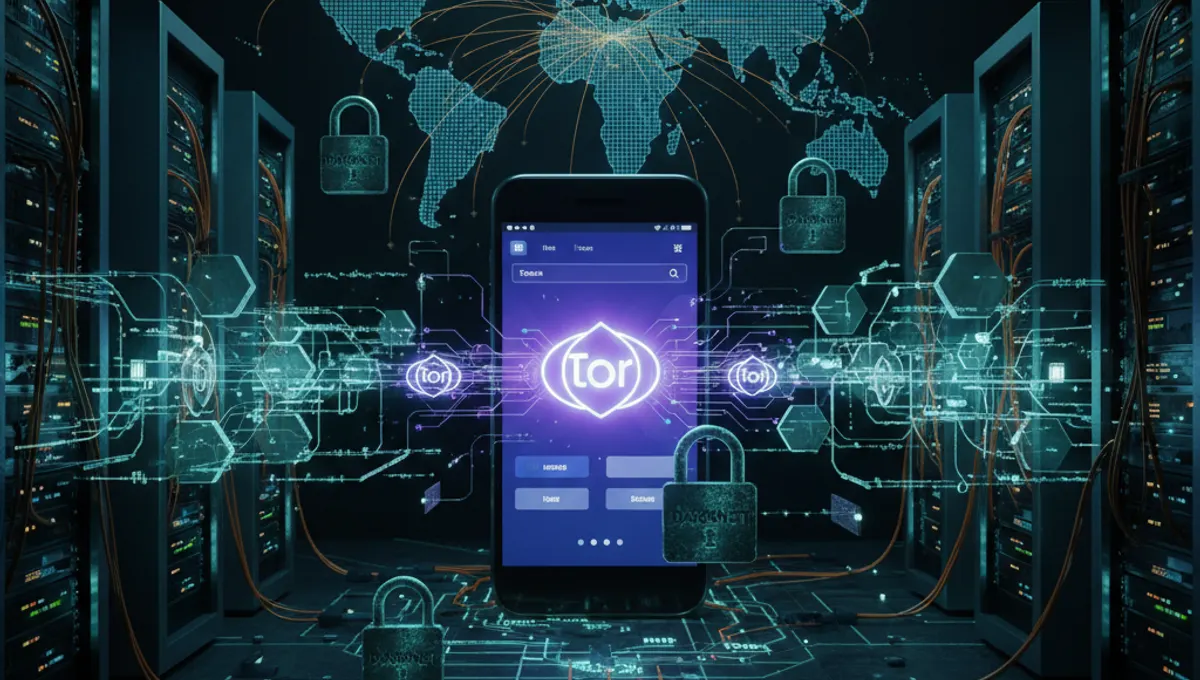
Mobile dark web access means using your smartphone or tablet to connect through the Tor network and reach hidden services. Unlike desktop Tor, mobile implementations face hardware limitations, smaller screens, and different operating system architectures. Android users can install Tor Browser directly, which routes all traffic through Tor's relay network. iOS users face stricter app store restrictions, requiring alternative apps like Onion Browser that use Tor's libraries. Mobile access serves the same purpose as desktop—reaching .onion sites, maintaining anonymity, and avoiding ISP monitoring—but with trade-offs in performance and battery life.
Tor Browser for Android Setup
Installing Tor Browser on Android is straightforward. Download the official Tor Browser app from the Google Play Store or directly from the Tor Project website. Open the app, tap 'Connect,' and wait for the Tor network to initialize. The connection process typically takes 10–30 seconds. Once connected, your browser traffic routes through Tor's relay network automatically. The app includes built-in protections: script blocking, fingerprint resistance, and HTTPS enforcement. After connecting, test your setup by visiting a dark web search engine or checking your IP address on a verification site. Keep the app updated to receive security patches. Note that Tor Browser on Android consumes more battery than standard browsers, so expect reduced battery life during extended sessions.
iOS Mobile Access & Limitations
iOS presents stricter limitations due to Apple's app store policies. The official Tor Browser is not available on iOS. Instead, use Onion Browser, a third-party app that implements Tor's protocol. Download it from the Apple App Store, open it, and connect to Tor. The connection process mirrors Android but may be slower on older devices. iOS also restricts which apps can use Tor—only apps specifically designed to route traffic through Tor will work. Standard Safari cannot be configured to use Tor on iOS without jailbreaking, which compromises security. This means you cannot browse arbitrary .onion sites as freely on iOS as on Android. For serious mobile dark web work, Android remains the more practical choice.
Security & Anonymity on Mobile
Mobile dark web access introduces unique risks. First, combine Tor with a VPN: connect to a trusted VPN before opening Tor Browser. This hides your Tor connection from your ISP. Second, disable JavaScript in Tor Browser settings—mobile browsers are more vulnerable to script-based exploits. Third, avoid maximizing your browser window or changing default settings, as this increases fingerprinting risk. Fourth, never install additional apps that might leak your real IP. Fifth, use a dedicated device or a separate user profile if possible. Sixth, never enable plugins or extensions. Seventh, assume mobile networks (WiFi at cafes, cellular data) may log your activity—use only trusted networks. Eighth, do not assume mobile anonymity is equivalent to desktop Tor; mobile devices are more likely to be compromised by malware or physical access.
Common Mobile Dark Web Mistakes
Beginners often make critical errors on mobile. Mistake one: using Tor without a VPN, exposing your ISP to metadata about your Tor connection. Mistake two: opening multiple tabs or windows simultaneously, which can leak traffic outside Tor. Mistake three: maximizing browser windows or changing font sizes, creating a unique fingerprint. Mistake four: installing random apps claiming to offer dark web access—many are malware. Mistake five: assuming mobile Tor is faster than desktop Tor; it is typically slower due to hardware constraints. Mistake six: leaving Tor Browser running in the background while using other apps, which may bypass Tor. Mistake seven: connecting to public WiFi without a VPN before launching Tor. Mistake eight: taking screenshots of .onion sites, which may embed metadata. Test your setup on a non-sensitive site first.
Comparing Mobile vs. Desktop Dark Web Access
Desktop Tor offers better performance, larger screens, and more granular control over security settings. Desktop Tor Browser supports all operating systems (Windows, macOS, Linux) and allows unrestricted .onion site browsing. Mobile Tor is slower, drains battery faster, and has platform-specific limitations. Android Tor Browser is functional but not as optimized as desktop. iOS Tor access is severely restricted. Desktop Tor is better for extended research, downloading files, or managing cryptocurrency wallets. Mobile Tor is practical for quick lookups, checking .onion email, or reading news sites. If you need serious anonymity work, use desktop. If you need occasional mobile access, Android with Tor Browser is acceptable; iOS users should expect friction. Neither platform is inherently more secure—both require the same operational discipline.
Practical Mobile Dark Web Workflow
A safe mobile dark web session follows this sequence: First, connect to a trusted VPN. Second, open Tor Browser and wait for full connection. Third, visit a dark web search engine or a known .onion address. Fourth, avoid clicking unknown links or downloading files unless necessary. Fifth, use HTTPS-only sites where possible. Sixth, do not maximize your browser or change settings. Seventh, do not open multiple tabs simultaneously. Eighth, close Tor Browser when finished. Ninth, disconnect from the VPN. For sensitive tasks like accessing dark web email or forums, use a desktop device instead. Mobile is best for read-only browsing. If you need to upload files or conduct transactions, switch to a desktop with stronger security controls. Keep your mobile OS updated and avoid rooted or jailbroken devices, which expose you to malware.
Frequently asked questions
Can I access the dark web on my phone?
Yes. Android users can install Tor Browser from the Google Play Store or the Tor Project website. iOS users can use Onion Browser from the Apple App Store. Both provide access to .onion sites, though iOS has more restrictions. Always use a VPN before connecting to Tor for additional privacy.
Is mobile Tor as secure as desktop Tor?
Mobile Tor provides the same encryption and routing as desktop Tor, but mobile devices face additional risks: malware, physical theft, and app-based leaks. Security depends on your device's OS security, your operational discipline, and whether you use a VPN. Desktop Tor is generally more secure due to better isolation and control.
Why is Tor Browser slower on mobile?
Mobile devices have less processing power and RAM than desktops. Tor encryption and relay routing consume more resources on constrained hardware. Mobile networks may also have higher latency. Expect 2–5x slower speeds on mobile compared to desktop Tor.
Should I use a VPN with mobile Tor?
Yes. A VPN hides your Tor connection from your ISP and network administrator. Connect to the VPN first, then open Tor Browser. This adds a layer of protection, though it does not make you invisible to the VPN provider. Use a reputable, no-log VPN service.
What are the biggest risks of mobile dark web access?
Main risks include malware on your device, fingerprinting via browser settings, IP leaks from misconfigured apps, and physical device theft. Avoid rooted or jailbroken phones, disable JavaScript, and never install untrusted apps. Assume mobile is less secure than desktop for sensitive tasks.