What Is the Clear Web
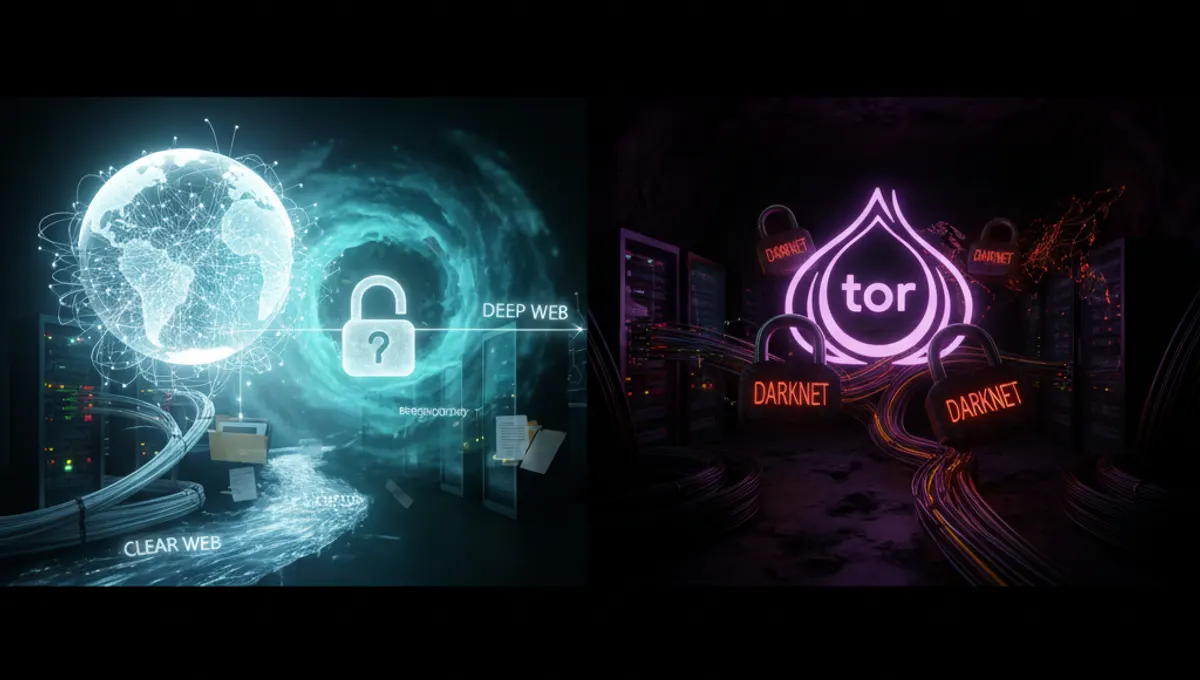
The clear web, also called the surface web, is the indexed portion of the internet accessible through standard browsers like Chrome, Firefox, or Safari. Search engines crawl and catalog these pages, making them discoverable through Google or other search tools. This includes news websites, social media platforms, e-commerce sites, blogs, and most content you encounter daily. The clear web operates on standard HTTP or HTTPS protocols and requires no special software. Your activity on the clear web is visible to your Internet Service Provider (ISP) and can be logged by websites you visit. The clear web represents roughly 4-10% of total internet content by some estimates, though exact figures are difficult to measure. It's the most user-friendly layer but offers the least privacy by default.
What Is the Deep Web
The deep web is any part of the internet not indexed by search engines. This includes legitimate, everyday content: your email inbox, banking portal, medical records, academic databases, subscription services, and private company networks. The deep web is not hidden—it's simply behind paywalls, login screens, or robots.txt restrictions that prevent indexing. When you check your Gmail or access your bank account, you're on the deep web. Legal professionals use deep web databases for case research. Researchers access academic journals through institutional subscriptions. The deep web makes up the vast majority of internet content, estimated at 90-96% of all data online. It's not inherently anonymous or illegal; it's just private and not publicly searchable. Most people use the deep web regularly without realizing it.
What Is the Dark Web
The dark web is a small, intentionally hidden portion of the internet that requires specific software—typically Tor Browser—to access. It operates on overlay networks that anonymize user traffic by routing it through multiple relays, making it difficult to trace the origin of connections. Dark web sites use .onion addresses instead of standard domain names. The dark web hosts legitimate content: privacy-focused forums, whistleblowing platforms, censorship-resistant news sites, and communities in countries with internet restrictions. It also hosts illegal marketplaces and content, which is why the dark web has a reputation for illicit activity. However, the existence of illegal content doesn't mean all dark web activity is criminal. Journalists, activists, and people in oppressive regimes use the dark web for legitimate purposes. Accessing the dark web itself is legal in most countries; what you do there determines legality.
How to Access Each Layer Safely
Accessing the clear web requires no special setup—use any standard browser. For the deep web, you typically need credentials: a username and password for email, banking, or subscription services. No additional software is required, though using a VPN before accessing sensitive deep web services adds a layer of privacy. Accessing the dark web requires Tor Browser, available from the official Tor Project website. Download it directly from the official source, not third-party sites. Install it like any other application. Open Tor Browser and wait for it to connect to the Tor network—this takes 10-30 seconds. Once connected, you can visit .onion sites. For maximum security, consider running Tor Browser on a dedicated virtual machine or operating system like Tails or Whonix. Never maximize your browser window on the dark web, as this can reveal your screen resolution to websites. Disable JavaScript in Tor Browser settings to prevent certain exploits. Keep your operating system and all software updated.
Security and Anonymity Best Practices
Using Tor Browser alone provides anonymity, but combining it with a VPN adds another layer. Connect to a VPN first, then open Tor Browser—this hides your Tor usage from your ISP. Never use the same username or personal information across different dark web sites. Treat each account as separate. Don't maximize your browser window or enable plugins, as these can leak identifying information. Avoid downloading files unless absolutely necessary; malware is a real risk on the dark web. If you must download, use a virtual machine. Never enable browser extensions in Tor Browser. Don't assume .onion sites are safe just because they're on the dark web. Phishing and scams are common. Verify site addresses carefully—bookmark legitimate sites to avoid typos. Use strong, unique passwords for each account. Consider using a password manager like Bitwarden. Never torrent over Tor, as this can compromise your anonymity. Don't resize your window or change display settings while using Tor. Cover your webcam.
Common Mistakes to Avoid
The biggest mistake is assuming Tor makes you completely invisible. Tor protects your IP address and routing, but poor operational security can expose you. Using your real name or existing usernames on dark web sites is a critical error. Logging into Facebook or Gmail over Tor while using your real identity defeats the purpose of anonymity. Downloading files carelessly is dangerous—malware is prevalent on the dark web. Another common mistake is trusting sites based on appearance alone. Professional-looking dark web marketplaces can be scams designed to steal cryptocurrency. Never send money first without verification. Mixing Tor with non-Tor activity in the same session can leak your identity. Use separate browsers or virtual machines for different purposes. Disabling Tor's security features to access sites faster is risky. The default settings exist for protection. Finally, don't assume law enforcement can't track dark web activity. While Tor provides strong anonymity, sophisticated investigations have identified users through behavioral patterns, metadata, and operational mistakes.
Why These Distinctions Matter
Understanding these three layers helps you make informed decisions about your online activity and privacy. The clear web is convenient but monitored. The deep web is private but requires credentials. The dark web offers anonymity but demands careful behavior. Each layer serves legitimate purposes. Journalists use the dark web to communicate with sources. Activists use it to organize in oppressive regimes. Researchers use the deep web to access academic resources. Most people use all three layers regularly. Recognizing which layer you're on helps you understand what privacy protections are in place and what additional measures you might need. It also helps you avoid misconceptions about internet security. Not all dark web activity is illegal, and not all clear web activity is safe. Context and behavior matter more than the layer itself. This knowledge is essential for anyone concerned about digital privacy and security.
Frequently asked questions
Is accessing the dark web illegal?
No. Accessing the dark web using Tor Browser is legal in most countries. What you do on the dark web determines legality. Visiting a .onion site is not a crime. Engaging in illegal activities—buying drugs, stolen data, or weapons—is criminal regardless of where it happens. Many people use the dark web for legitimate purposes like privacy, security, and accessing information in censored regions.
Can the government track me on Tor?
Tor provides strong anonymity, but it's not perfect. Law enforcement has successfully identified Tor users through behavioral analysis, metadata collection, and operational mistakes. If you use your real name, visit sites while logged into personal accounts, or make other identity-revealing choices, you can be tracked. Tor protects your IP address and routing, but it doesn't protect against poor security practices.
What's the difference between a VPN and Tor?
A VPN encrypts your traffic and routes it through a single server, hiding your IP from websites but not from your VPN provider. Tor routes traffic through multiple relays, making it harder to trace. VPNs are faster but less anonymous. Tor is slower but more anonymous. Using both together—VPN first, then Tor—provides additional privacy layers. Neither is a substitute for good operational security.
Is everything on the dark web illegal?
No. The dark web hosts whistleblowing platforms, privacy-focused forums, censorship-resistant news sites, and communities in countries with internet restrictions. It also hosts illegal marketplaces and content. The dark web is a tool; legality depends on use. Many journalists, activists, and ordinary people use it for legitimate privacy and security reasons.
How do I know if a dark web site is real or a scam?
Verify .onion addresses carefully—bookmark legitimate sites to avoid typos that lead to phishing pages. Check community forums and verified lists for recommendations. Be skeptical of sites asking for payment upfront. Scams are common on the dark web. Never assume a professional-looking site is legitimate. Use escrow systems when possible. Start with small transactions to test trustworthiness. If something feels off, it probably is.